Separate revenue and payables
Track incoming invoices and outgoing bills in dedicated flows from day one.
- Watch dedicated folders automatically.
- Keep revenue and costs cleanly split.
Drop invoice PDFs into a folder. Billly turns them into a searchable invoice database, a lightweight CRM, and ready-to-send Gmail follow-ups without forcing you into a bigger system.

Billly is free. OpenAI usage is billed by OpenAI and powers extraction, auto-tagging, CRM enrichment, and template filling. Gmail messages are sent from your connected account.
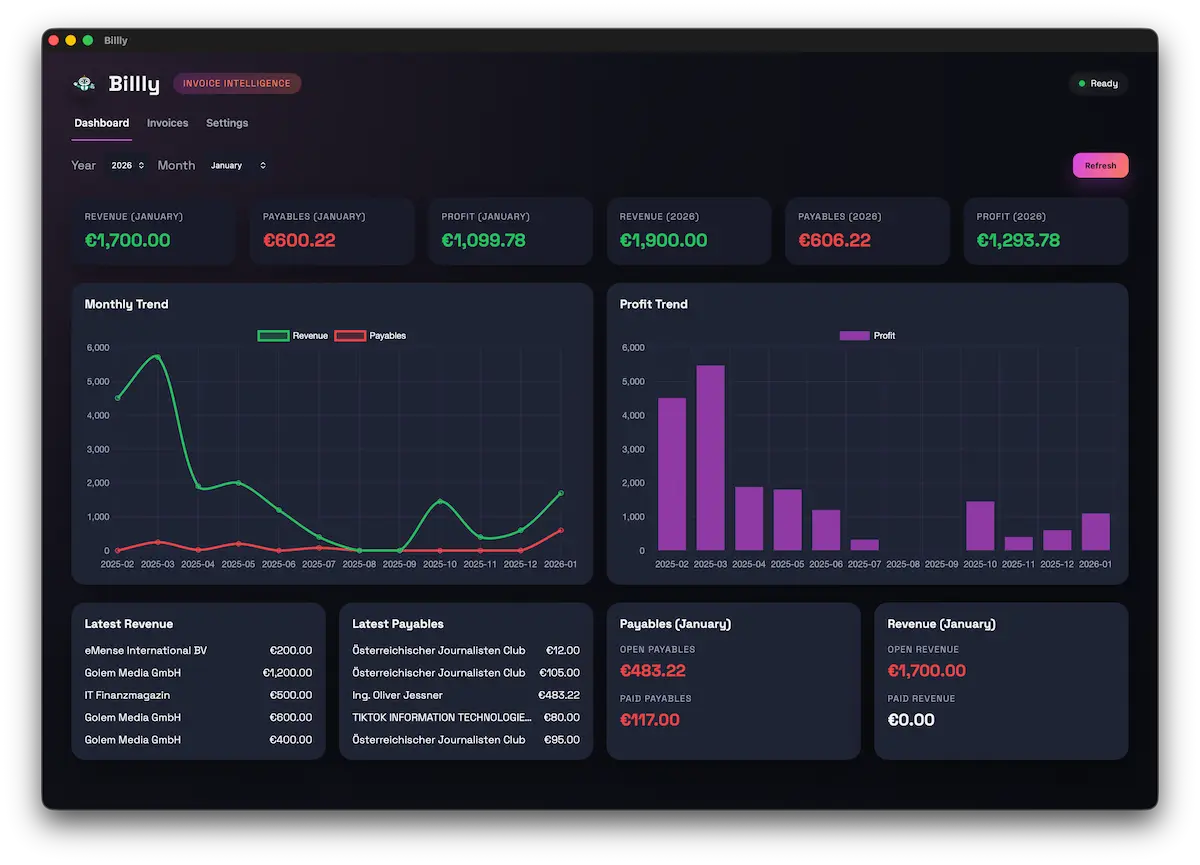
Billly handles the repetitive classification and turns invoice files into something useful.
Track incoming invoices and outgoing bills in dedicated flows from day one.
Incoming payables are classified without manual cleanup.
Revenue invoices become customer records and reusable placeholder data.
Billly now closes the loop from invoice extraction to customer communication.
Billly can send messages through your connected Gmail account, so invoice reminders, follow-ups, and customer updates stay inside the same workflow as the billing data.
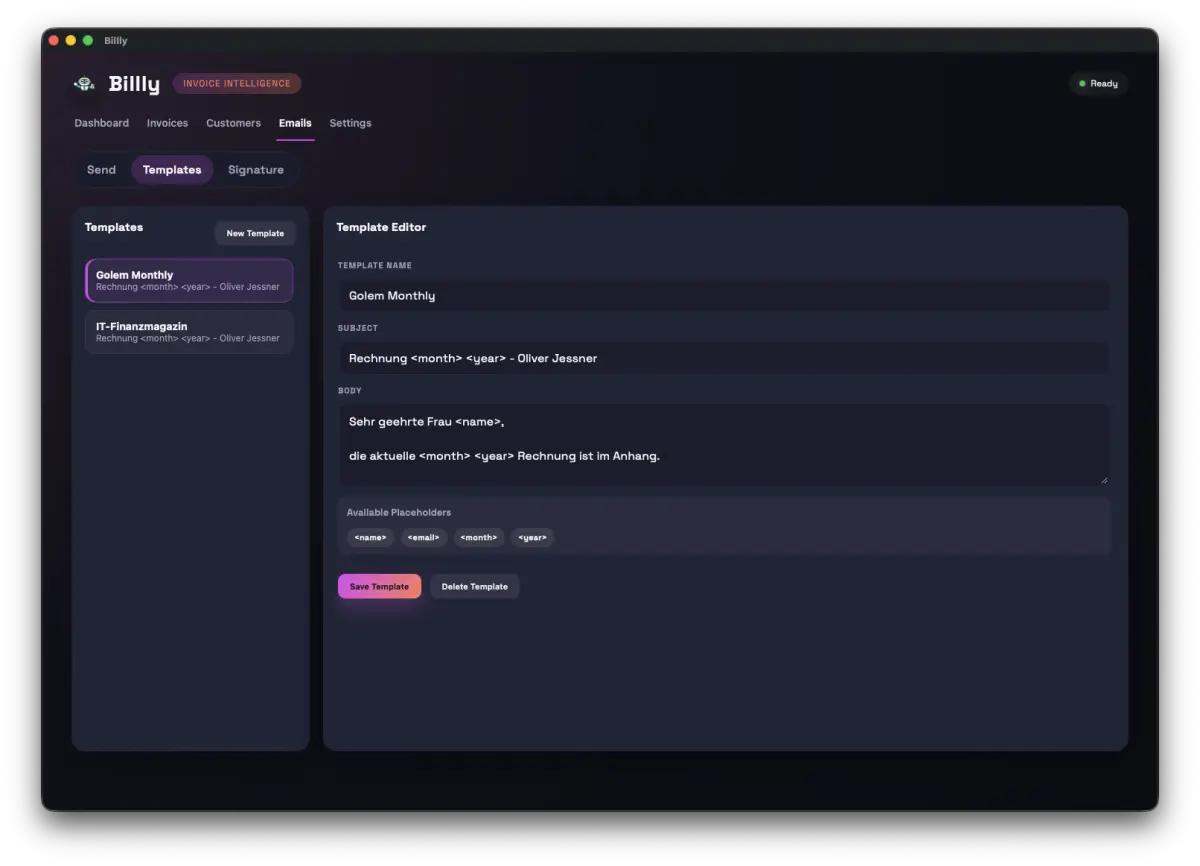
Write reusable email templates once, then let Billly fill invoice, customer, and billing values straight from the parsed documents and CRM records.
The current release keeps payables, CRM, and outbound email context in one macOS app, instead of forcing copy and paste between separate tools.
Six steps. Then Billly keeps the structure current and the follow-up reusable.
Point Billly to the revenue and payables folders where PDFs arrive.
Billly scans PDFs and extracts readable text.
Totals, taxes, due dates, suppliers, customers, and placeholder fields are identified.
Bills are tagged and customer records stay current without manual sorting.
Choose or write reusable templates for reminders, follow-ups, and invoice emails.
Billly fills the template with invoice and customer values, then sends it via Gmail.


Billly came out of a freelancer routine: PDFs arrive, context disappears, and follow-up takes longer than it should. The product is shaped around that exact friction.
One invoice lands in your folder. Billly keeps the context together, so the next action is already prepared instead of hidden across tools.
The file lands in your revenue folder like it always does. No new process required.
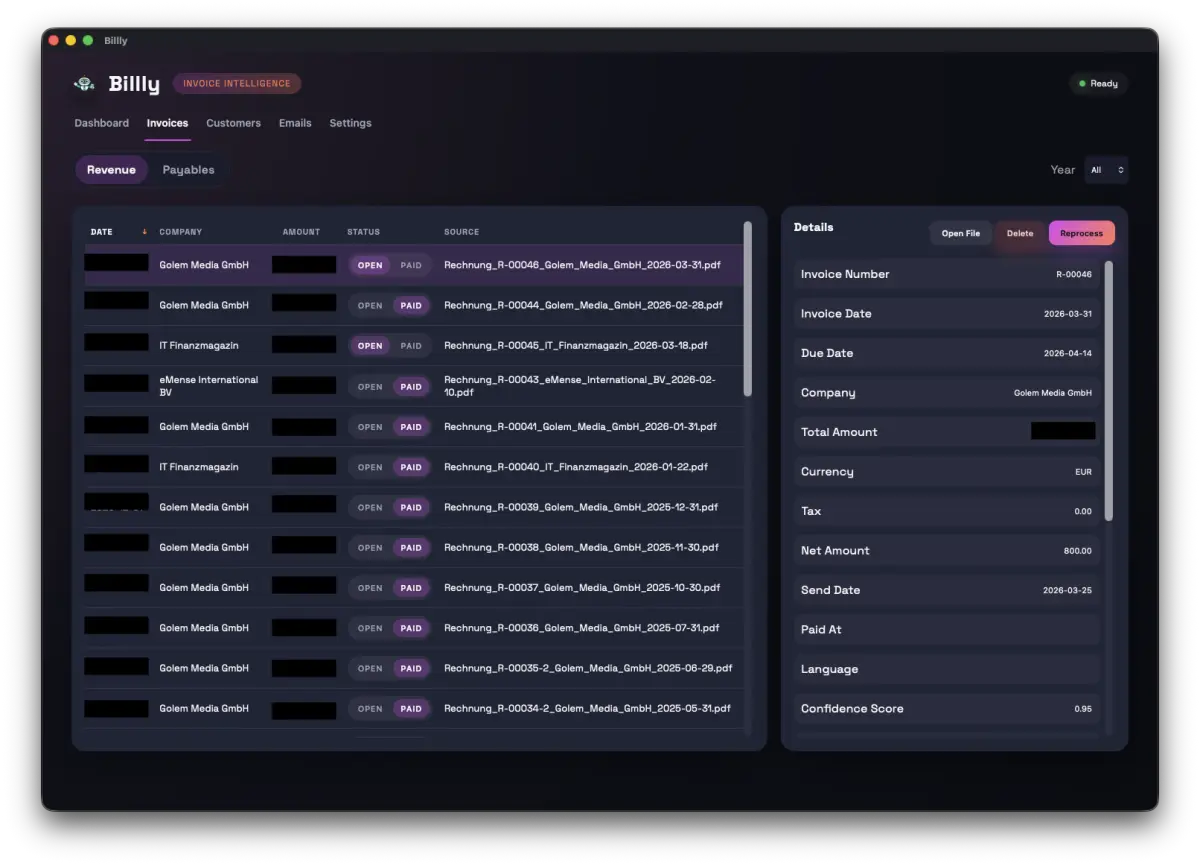
Amount, due date, customer data, and invoice details become structured automatically.
You immediately see who the customer is, what happened last, and what is still open.
Pick the Gmail template, review the placeholders, and send without copying values by hand.
A short walkthrough of the full flow: intake, invoice database, CRM context, and Gmail follow-up in one quieter workflow.
The demo shows the real sequence from incoming invoice to organized follow-up, so the product feels concrete before you download it.
One place to inspect extracted documents, statuses, and the details Billly parsed.
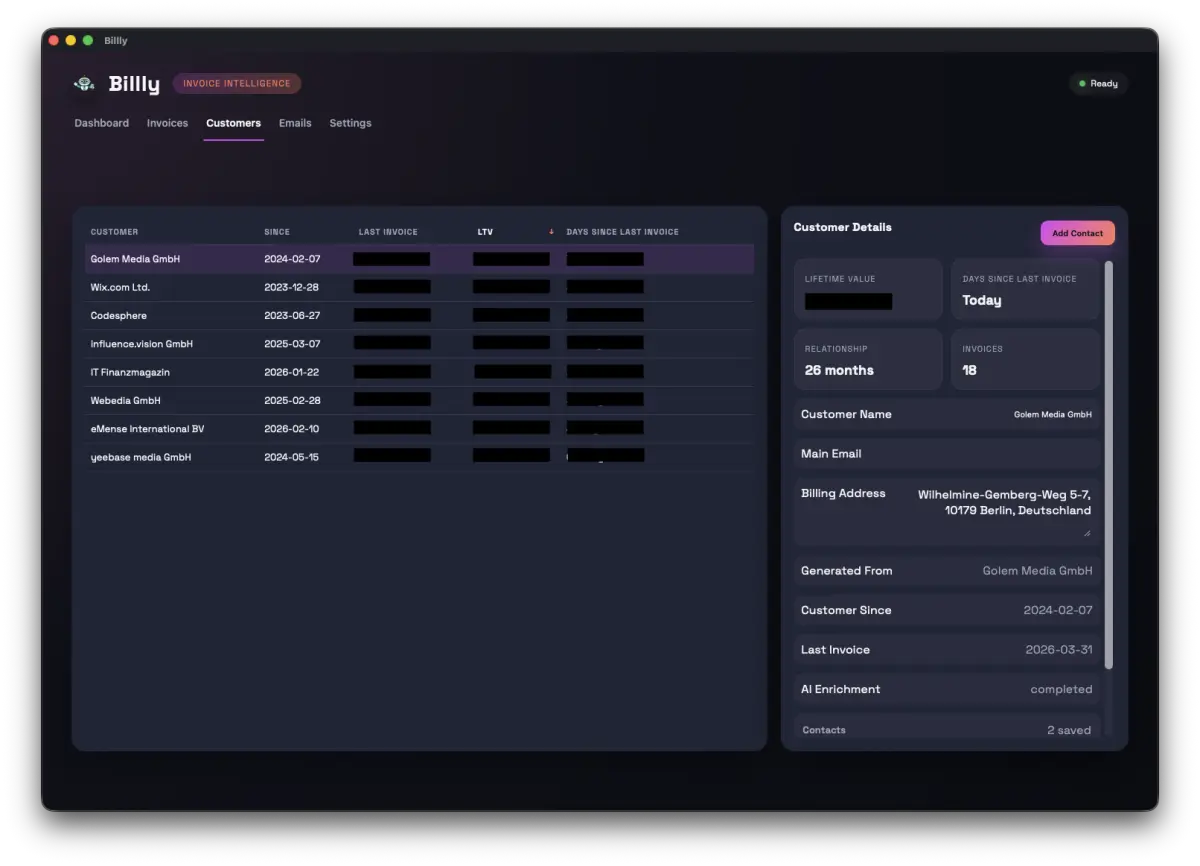
Billly turns your invoice history into a lightweight CRM and the context layer for outreach.
Billly can now send messages from your own Gmail account once the invoice context is there.
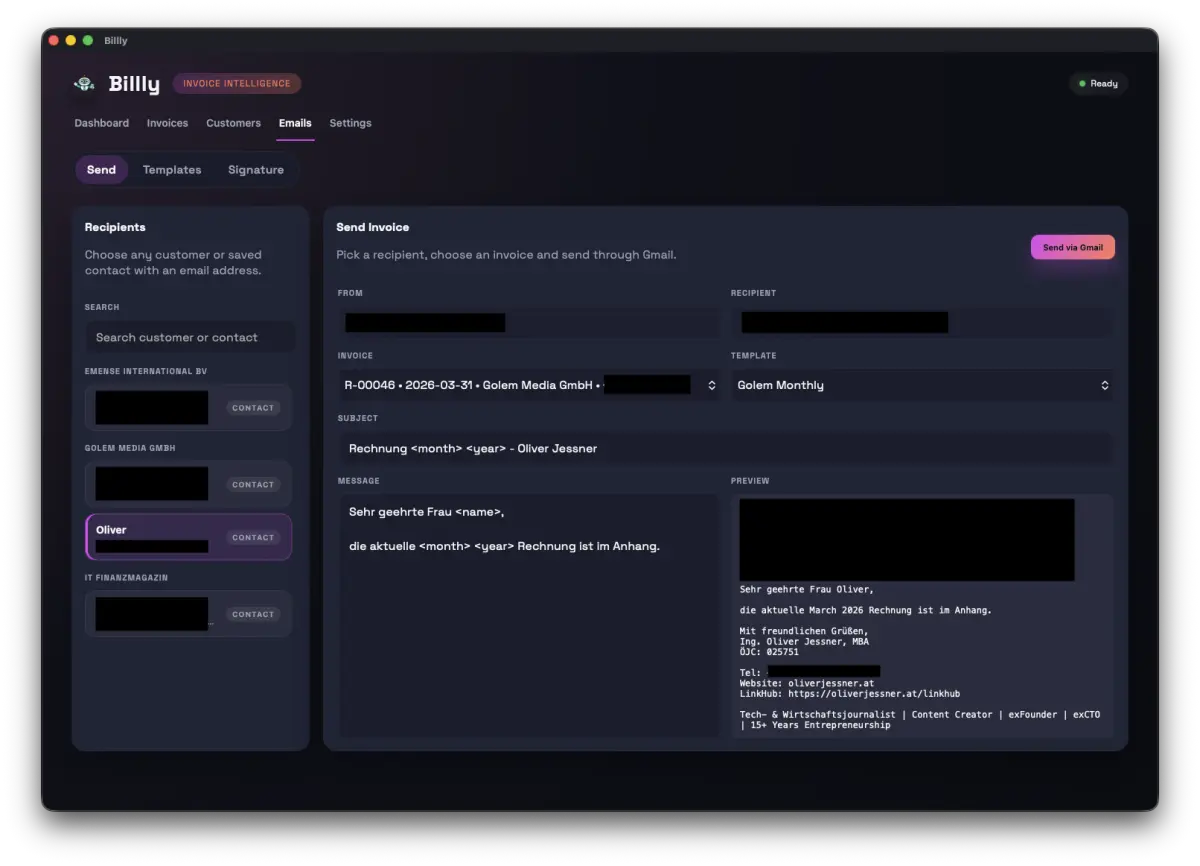
Build the flow once. Billly keeps the sender identity, template structure, and outgoing message connected from one screen to the next.
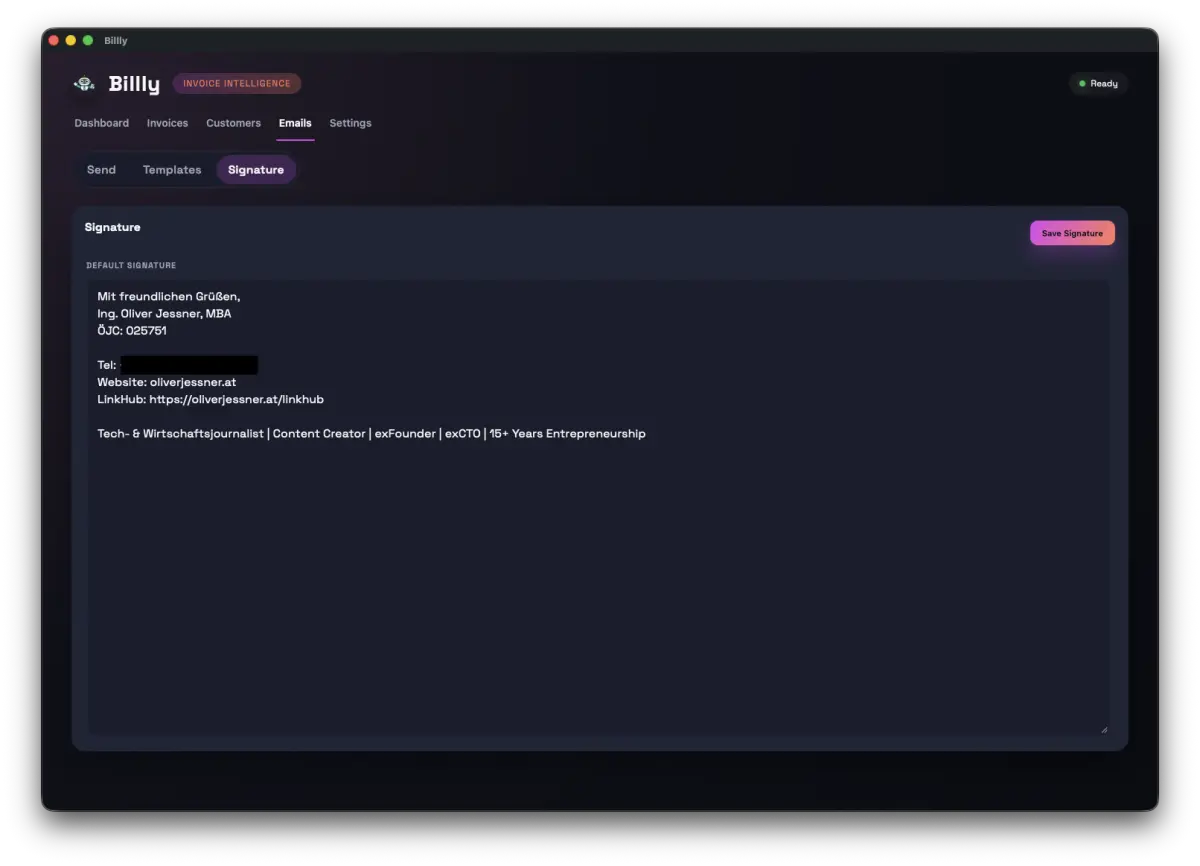
Start with the signature and sender details, so every template carries the same polished identity without manual formatting.
The flow stays readable and compact: identity first, template second, send review last.
Minimal steps, now with Gmail and reusable templates included.
No database setup, no sync, no account, and no spreadsheet sidecar required.
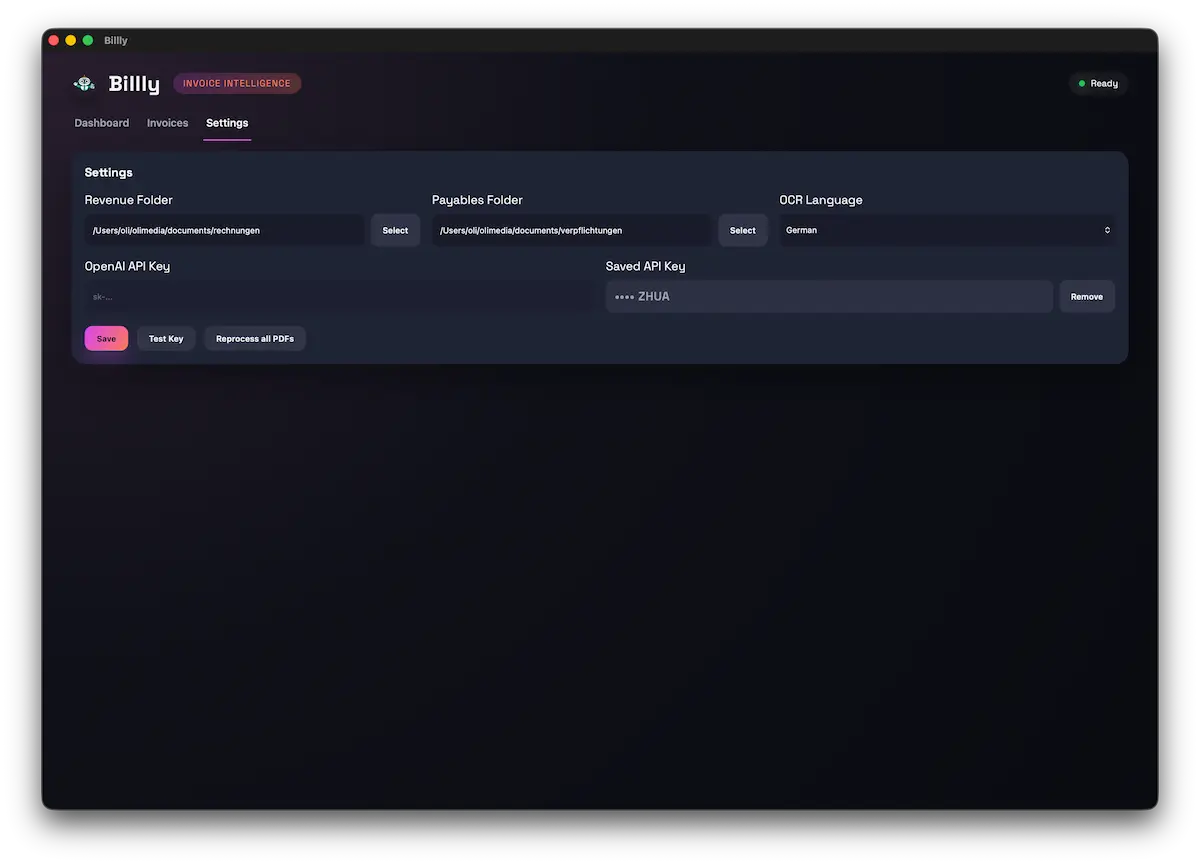
Billly is free. You only pay for OpenAI usage.
Billly itself costs nothing to download or use.
Pay per real usage only. A typical 50-invoice run lands at roughly 1 EUR, depending on model and document length.
No extra email subscription from Billly. Messages go out through your connected account.
Rough rule of thumb: about 50 invoices cost around 1 EUR in OpenAI usage, depending on document length.
Short answers, no fluff.
Billly keeps bookkeeping, CRM, and Gmail templates inside one quiet macOS workflow.