Convert in bulk
Process multiple images in one run.
Open-source desktop app
BulkPixel handles repetitive image work locally. Convert, resize, reuse presets, or automate watched folders.
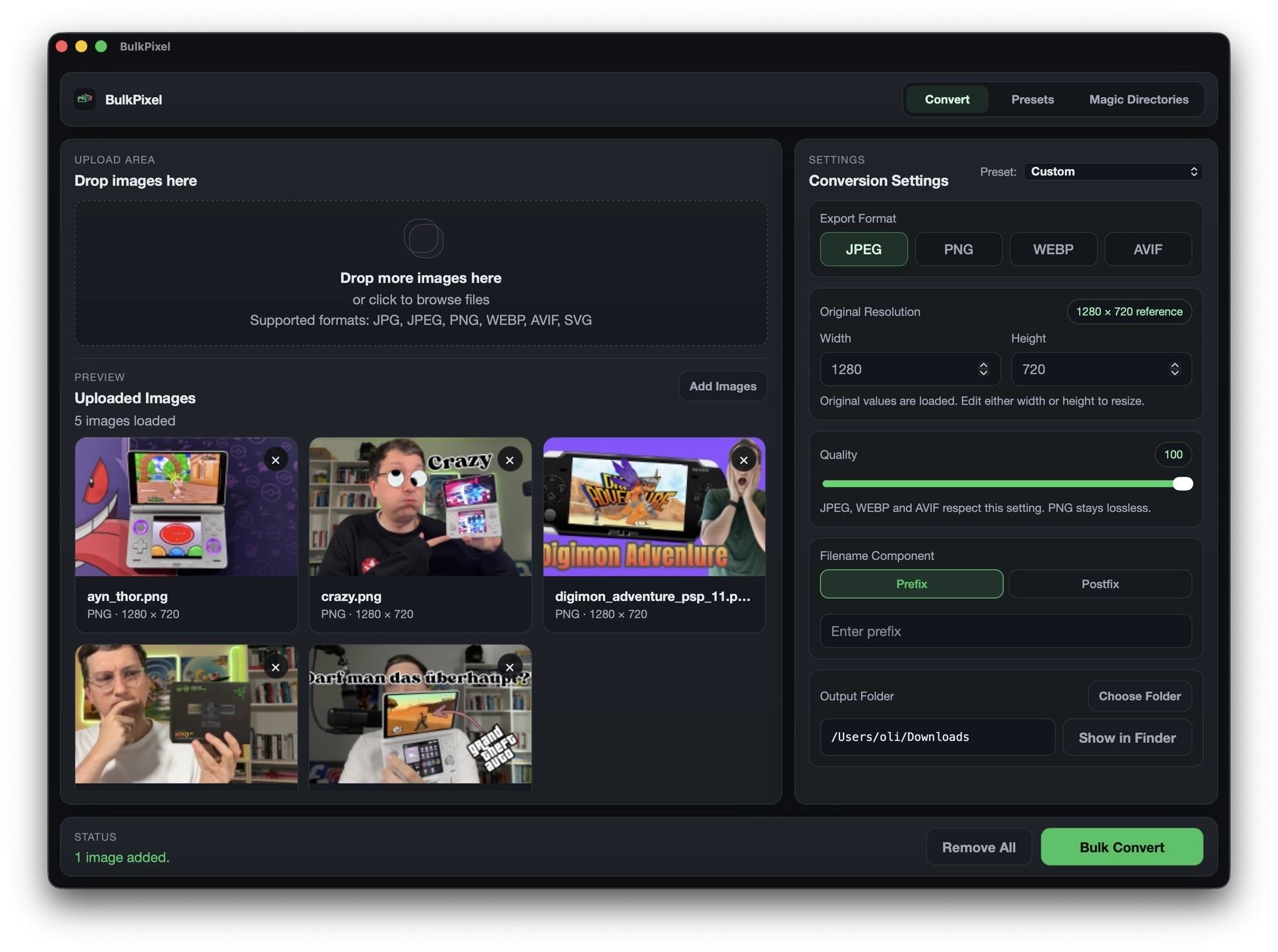
A quiet desktop workflow for conversion, resizing, naming, and export.
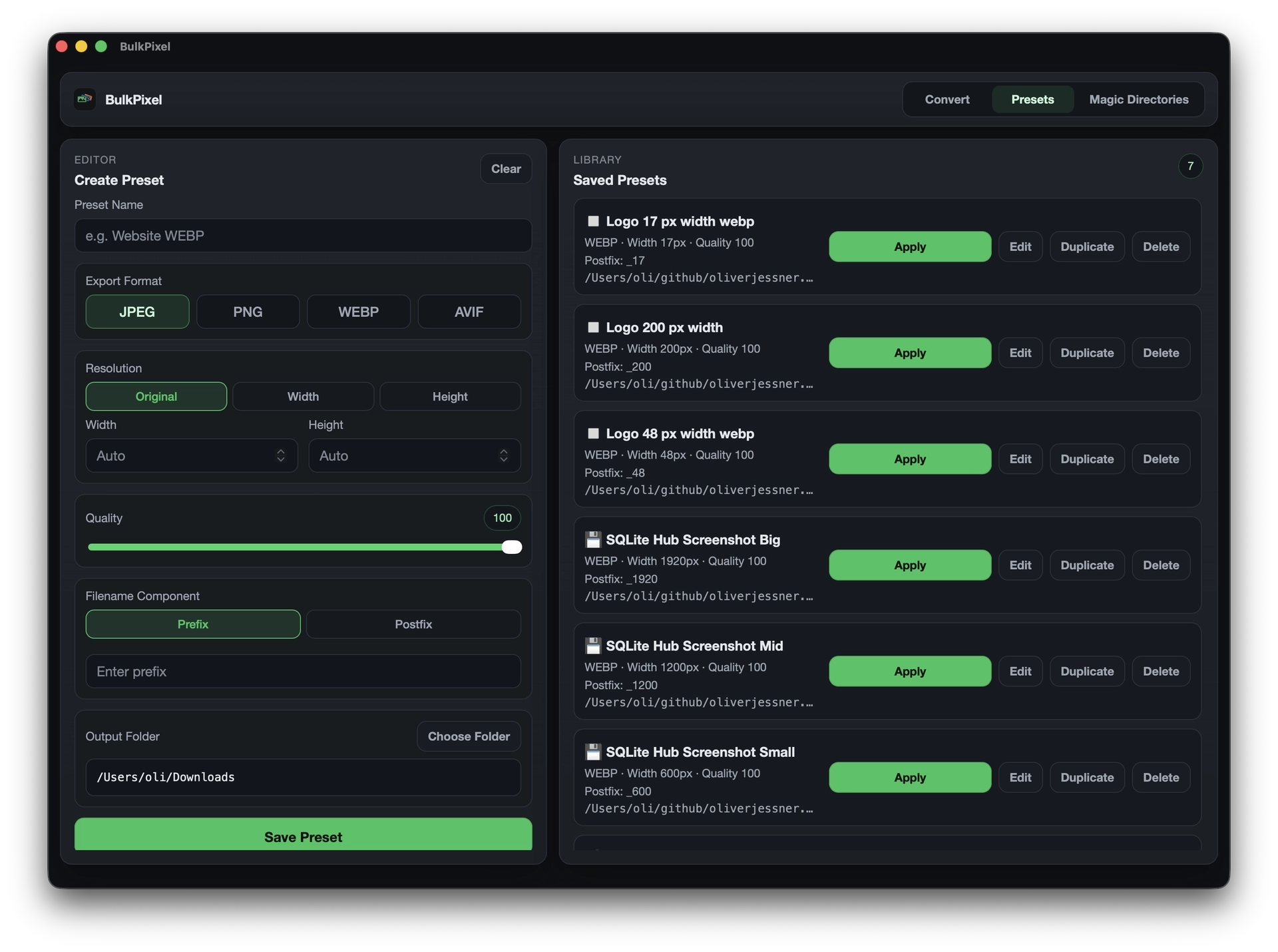
Presets
Save format, size, quality, naming, and output folder once. Reuse the preset from the app or CLI.
Automation
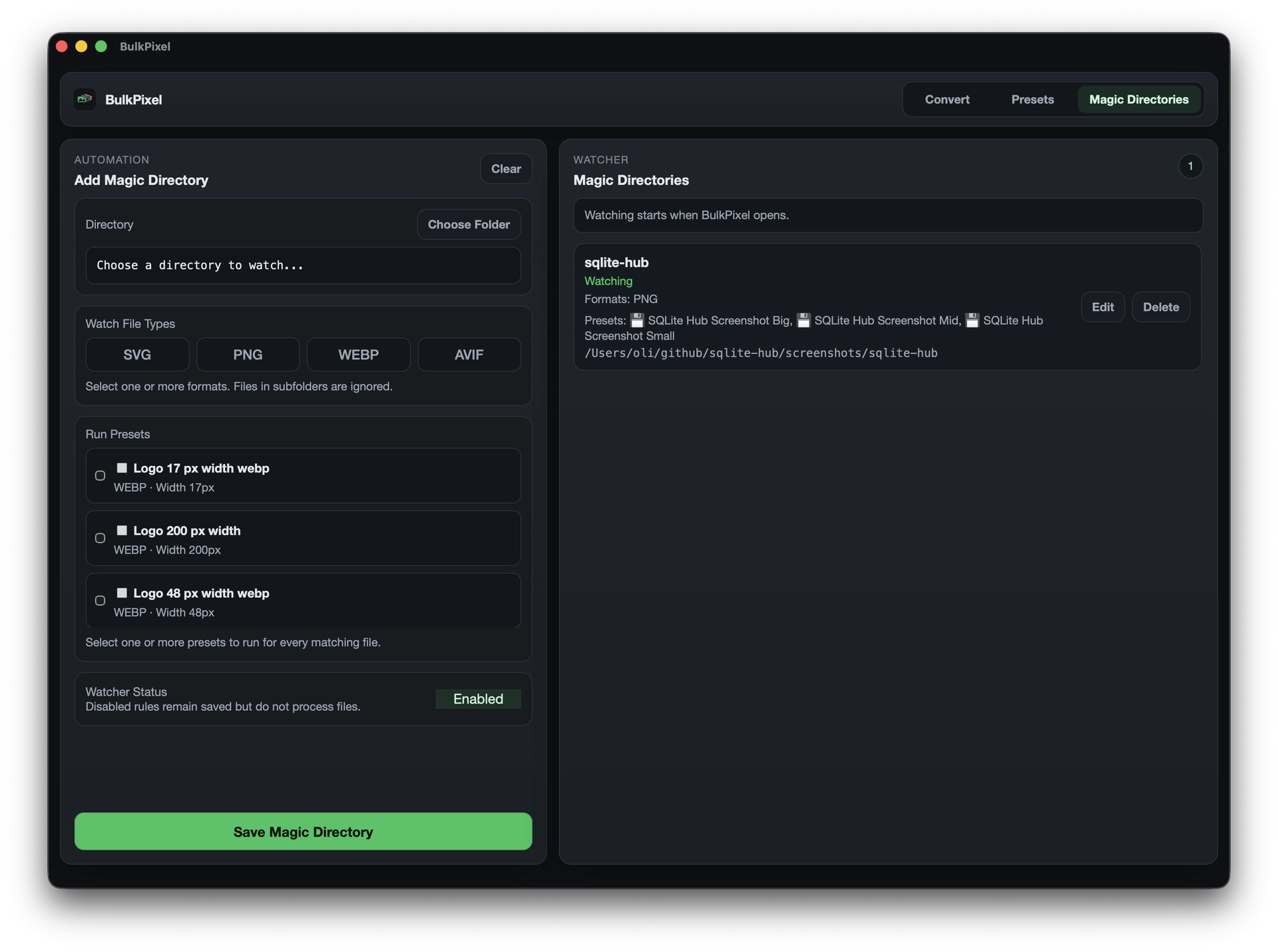
Watch a folder, choose the file types, and attach one or more presets. New matching images are processed automatically while BulkPixel is running.
Statistics
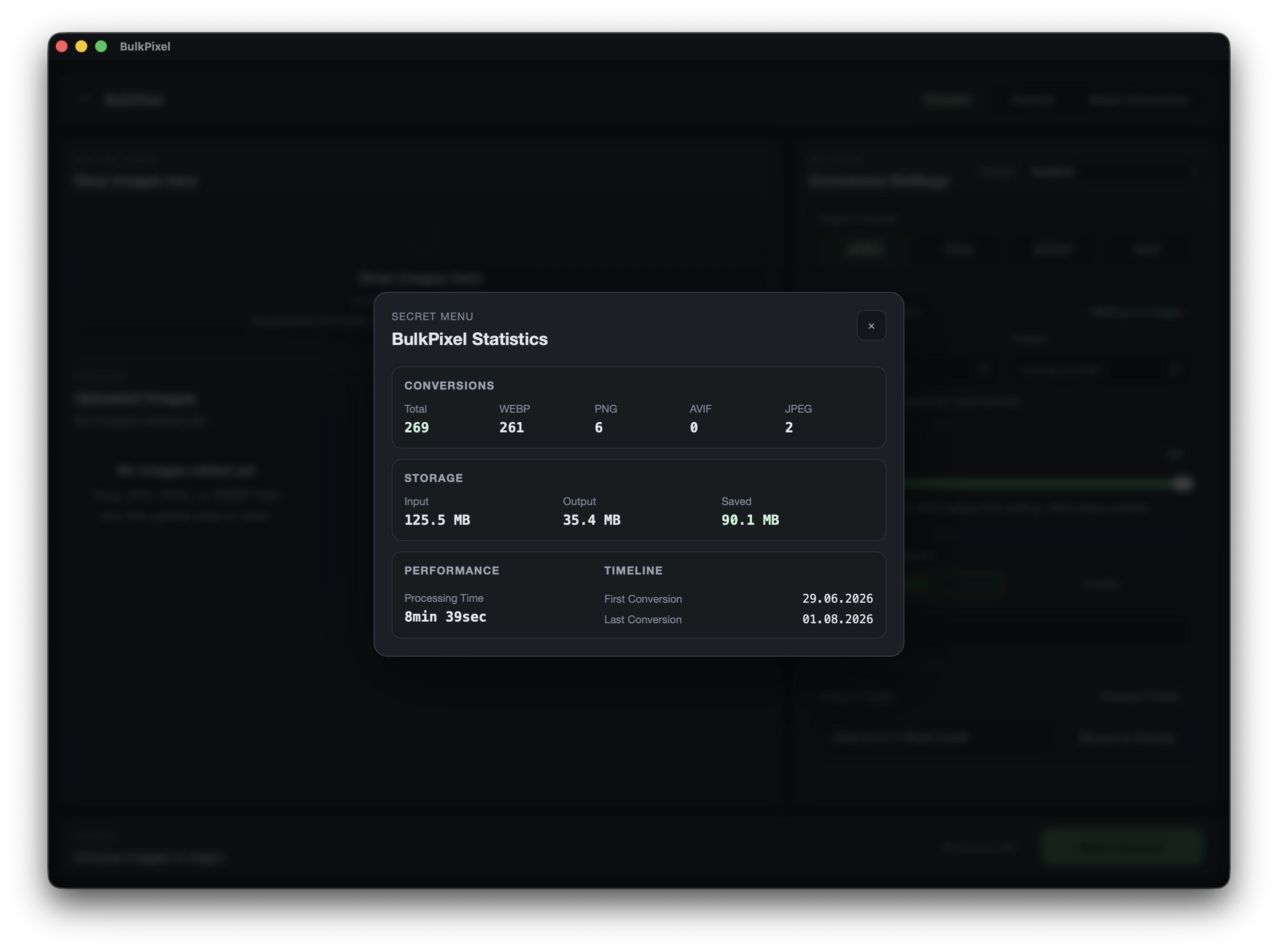
Track conversion totals by format, input and output storage, saved space, processing time, and the timeline of your local BulkPixel work.
Core workflow
The pieces that matter for batch image work.
Process multiple images in one run.
Set width or height and keep proportions.
Reuse export settings for recurring jobs.
Watch folders and run selected presets automatically.
Review conversions, storage savings, and processing time.
Run conversions and presets from the terminal.
Strip EXIF metadata automatically.
Add prefixes or postfixes before export.
Why it exists
BulkPixel exists for one kind of work: the repetitive image jobs that should take minutes, not attention.
The app stays local, direct, and calm. No accounts. No cloud layer.
Just a desktop tool and CLI for converting, resizing, automating, and understanding image work in bulk.
CLI
Use explicit settings for one-off jobs or call saved presets in scripts.
Read CLI docsbulkpixel convert \
--preset "Blog Header" \
--input ./image-1.png ./image-2.pngOpen source
BulkPixel lives on GitHub.
Inspect the code, use it as-is, or shape it to your workflow.
BulkPixel
Download the app, inspect the code, or run image batches from the CLI.
Download BulkPixelInstall BulkPixel and the CLI with Homebrew:
brew tap oliverjessner/tap
brew install --cask bulkpixel
FAQ
Short answers about batch image conversion, automation, privacy, and installation.
BulkPixel is a focused, local-first macOS app and command-line tool for converting, resizing, renaming, and exporting multiple images in one workflow.
Yes. BulkPixel is free to use and its source code is available on GitHub under the MIT license.
BulkPixel supports JPG, JPEG, PNG, WEBP, and AVIF input. It can export image batches as JPEG, PNG, WEBP, or AVIF.
Yes. BulkPixel can resize an entire image batch by width or height while preserving the original aspect ratio.
Yes. Image conversion runs locally on your Mac. BulkPixel does not require an account or upload your image files to a cloud service.
Presets save format, dimensions, quality, filename settings, and the output folder so the same export workflow can be reused in the desktop app or CLI.
Magic Directories watch selected folders while BulkPixel is running. When a matching image is added, BulkPixel automatically applies one or more selected presets.
Statistics shows conversion totals by format, input and output storage, saved space, processing time, and the dates of the first and latest conversion.
BulkPixel can remove EXIF metadata during export and uses collision-safe filenames to avoid accidentally overwriting existing files.
Yes. BulkPixel includes a CLI for conversions, presets, and statistics. The app and CLI can be installed together with Homebrew on macOS.