KnotenWerk logo KnotenWerk
KnotenWerk logo wordmark
No-distraction. Your granddad's UI design for simple trees and graphs that help you design solutions.

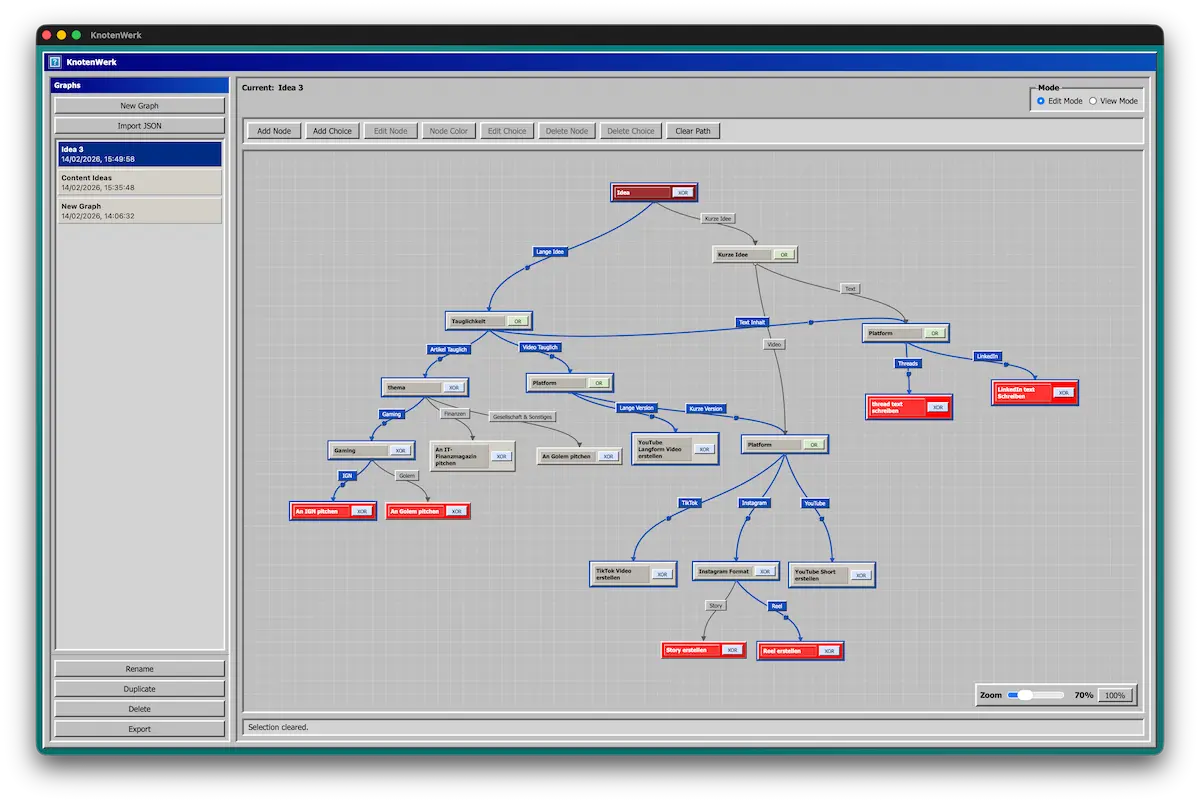
Build interactive decision trees and graphs in Edit Mode, then click through outcomes in View/Demo Mode before shipping your solution.

Modes
Ready Outputs
KnotenWerk interface showing a decision tree graph
Product preview: branch, compare, and present paths quickly.
Export: JSON • SVG • Markdown Modes: Edit | View/Demo
What it is

KnotenWerk keeps the interface intentionally calm: no clutter, just nodes, labels, and paths. It is local-first by default, so graphs are stored as JSON files you own and can move anywhere.

Features

Edit Mode

Create nodes, connect labeled choices, and rearrange branches without losing structure.

View/Demo Mode

Click choices as a user would and highlight the active path while presenting or testing.

Exports

Export graphs to JSON, SVG, and Markdown to plug directly into docs and workflows.

Local-first

Each graph is saved as JSON on your machine, so your files stay portable and under your control.

Apple Silicon

Even if it looks like Windows 98 SE, KnotenWerk currently runs on Apple Silicon Macs.

Exports

Share the same graph in machine, visual, and documentation formats.

graph.json - Notepad
{
  "id": "g_93b853ae-6ceb-4bca-96c8-c0591af61966",
  "name": "Idea 3",
  "version": 1,
  "createdAt": "2026-02-14T14:36:19.996Z",
  "updatedAt": "2026-02-14T14:49:58.603Z",
  "nodes": []
}
graph.md - Notepad
## Todo
- [ ] An IGN pitchen
- [ ] YouTube Langform Video erstellen
- [ ] TikTok Video erstellen
- [ ] Reel erstellen
- [ ] YouTube Short erstellen
- [ ] thread text schreiben
- [ ] LinkedIn text Schreiben
graph.svg - Viewer

SVG export keeps lines and nodes crisp for docs, presentations, and print workflows.

KnotenWerk

Design cleaner decisions in a calmer interface.

Use Edit and View/Demo modes to build, test, and ship graph-based workflows without distraction.

KnotenWerk is open source.